 OldWriter

Why OldWriter
Focus on writing
Many of us need a device for writing, free from the distractions of modern computers and their internet connections. OldWriter is designed for exactly that: it starts quickly, works entirely offline, and keeps your whole project in one place.
Offline
No accounts, no syncing, no internet connection. Your files are stored locally.
Made for older Macs
For OS X 10.7 Lion and later.
File management
Each “notebook” is simply a folder of .md files that you can open anywhere. You can export them to a USB drive.
The library
One book per notebook
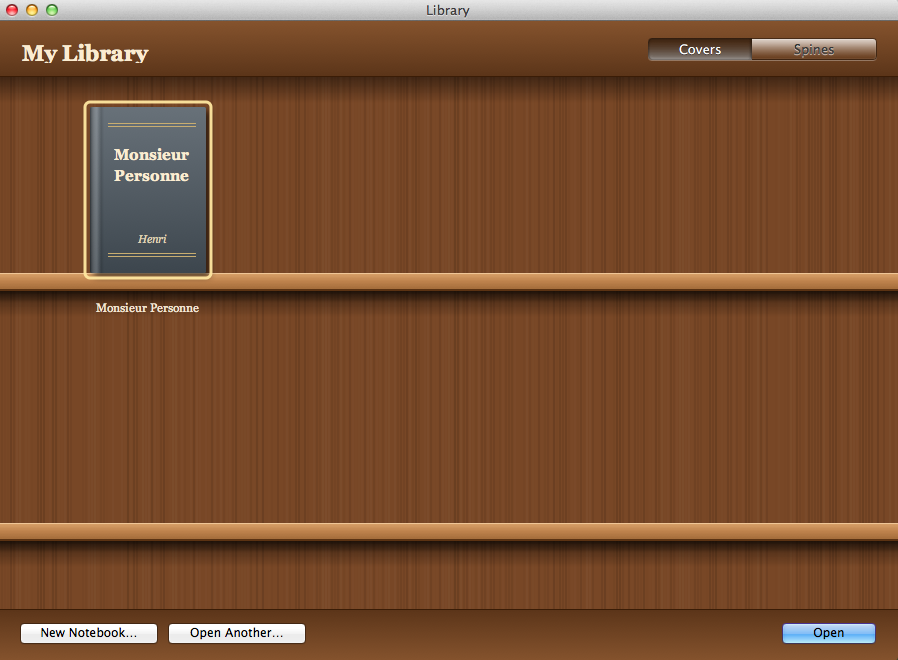
Your projects are arranged on wooden shelves like books. View them from the front or from the spine, and give each one its own cover.
- Cover view or spine view
- Custom cover: drag an image onto a book.
- Open a notebook stored anywhere on your drive or on a USB drive.
The tabs
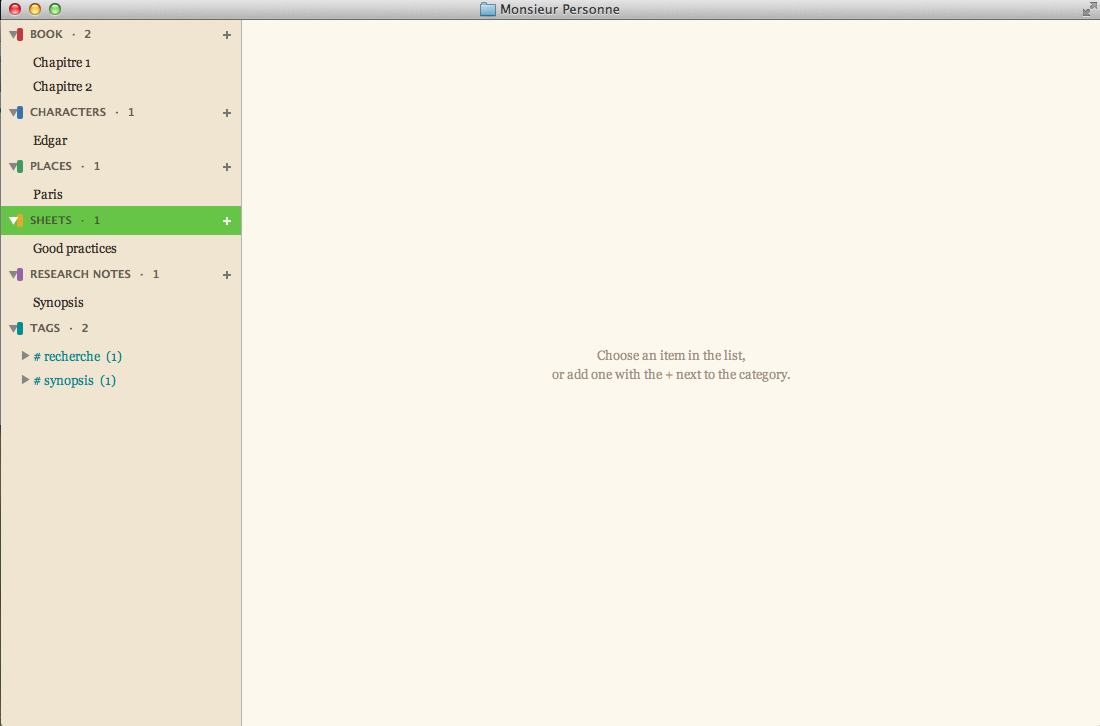
Your novel's framework, all in one place
Vous pouvez découper facilement votre roman en chapitres. À côté, ils vous est possible de créer des fiches pour vos personnages, vos lieux et tout ce que vous voulez suivre, ainsi que des notes de recherche.
- Book
- Characters
- Places
- Sheets
- Research notes
- Tags
- Des tags pour relier vos notes entre elles et les organiser
The editor
Markdown editor with preview
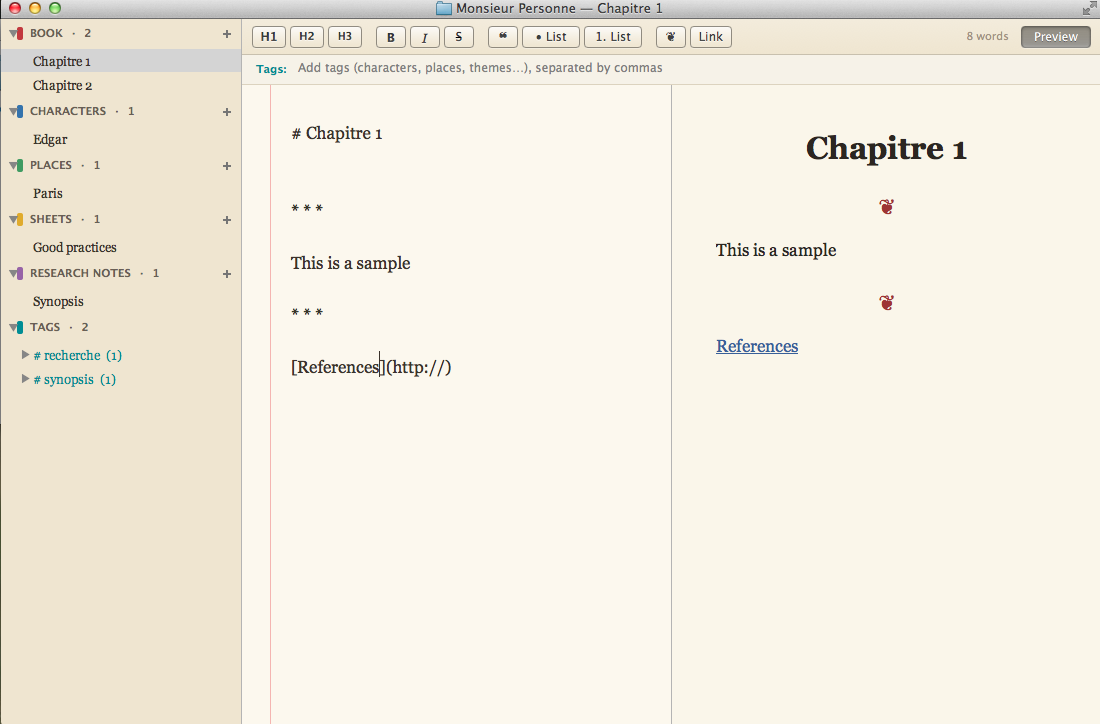
Write on the left and see your formatted page on the right. Use the toolbar to quickly apply formatting: headings, bold, italics, quotes, lists, links, and scene breaks.
- Side-by-side preview, with the option to hide it
- Word count
- Interface in English or French
Your files
A clear folder structure
An OldWriter notebook is just a folder: one Markdown file for each chapter, character profile, or note. Copy it to a USB drive, open it on a newer computer with any text editor, and back it up however you like.
No database, no proprietary format. Chapter order is right there in the file names, even in the Finder.
My novel/
├── projet.md
├── couverture.jpg
├── Livre/
│   ├── 01 - Departure.md
│   └── 02 - The crossing.md
├── Personnages/
│   └── Jeanne Morel.md
├── Lieux/
│   └── The harbour house.md
├── Fiches/
│   └── The lost letter.md
└── Notes/
    └── Breton lighthouses.md
Compatibility
Made for old Macs
OS X 10.7 Lion and later (Rosetta on Apple Silicon). OldWriter is built first for the Macs of yesterday, but it also opens on a recent Mac, for instance to pick a notebook back up.
- 10.7Lion, tested on 10.7.5
- 10.8 → 10.10Mountain Lion to Yosemite
- 10.11 → macOS 26Intel Macs
- Apple Siliconvia Rosetta 2
Download OldWriter
A signed and notarized version, ready to be dragged into your Applications folder.
Download the .dmg on another computer and copy it over with a USB stick on your old Mac.